Showing posts with label general interest. Show all posts

Friday, October 2, 2015

Scott Kelby's World Wide Photowalk

Well, it's that time of the year again.  Time for Scott Kelby's World Wide Photowalk.  I've participated in each year's walk.  Six as a walk leader (this will be the seventh) and last year we were attendees in two walks while we were in Maine.  One in the morning in Acadia National Park and an evening walk around Boothbay Harbor.  You can see the result of both places in one image if you look back through about a year's worth of posts.  This year I'm back to leading a walk.  A group that has been fairly faithful walkers asked me why I wasn't leading a walk last year and encouraged me to resume this year.  They've traveled a fair distance to be walkers, but I guess this year I pushed it too far.  Just in case you're curious and don't recognize the skyline in today's image, find out where our walk is this year by hitting the "Read More".

Read more!

Monday, August 17, 2015

Sometimes Photoshop Just Can't Do A Person Justice

The fellow in today's post is a friend.  That's a word I don't take lightly.  I have many acquaintances, some I like more than others.  But, the term friend has special meaning to me.  The guy in today's post is ninety five years old.  He lives in the same "active over 55" village we do and is truly "active".  His name is John.  Early in what he calls another life he was a photographer for Kodak.  Kodak doesn't hire bums as their official, shoot the world photographers.  At least they didn't.  Somewhere, in mid-life, he changed careers.  He became what I know him as, a master woodworker.  He's still at it.  He's the monitor at the village wood shop on Sunday mornings.  In the heat of the summer or the frigid air of winter the shop can get pretty lonely for most of the monitors, but not during John's shift.  When he's in charge there's always people there to see what he's doing, to learn from him, to enjoy the treasure we have in our midst.  
Here's a link to a 1982 article about John from the New York Times.   Read more!

Monday, August 3, 2015

How I Shoot

Never guess from today's image what we did over the weekend would you?  Okay, so maybe you would.  We (I) heard about this small track in Milford Connecticut where a group of guys get together (apparently mostly informally) to play in the dirt.  I took a look at their website and saw there was no entry fee for spectators unless a formal event was going on.  Hey, free action shots?  Why not.  When we got there we found five guys sitting around taking a break.  I asked if they were going to be riding any more or if the day was done.  They said to give them five minutes and they'd do a few laps specifically for Doris and I.  Not bad!  I asked for spots where they thought the best angles were and they pointed out here, here and here.  No problem.  For my decision making process on that day, hit the "Read More".
Read more!

Wednesday, July 1, 2015

The Myth About Depth of Field

Click on image to enlarge.
Have you ever spoken to a fellow shooter about Depth of Field (DoF)?  Have you ever been told you must have expensive, "fast glass" (a lens with a large maximum aperture - like F2.8 or F1.4) to get shallow DoF?  Well, it all depends on what you're shooting and what your subject is.  If you were to shoot someone's portrait using almost any lens and had enough empty space between the subject and the background you could shoot closed down to the minimum aperture (F 16 or F22) and get an acceptably out of focus background.  (It might have to be miles away and your subject at the minimum focusing distance of the lens, but you could do it.)  Take a look at today's image.  Before reading on, take a shot (guess) at what aperture might have been used.  Once you've made up your mind, hit the "Read More".
Read more!

Monday, June 1, 2015

Don't Be Afraid Of The Blinkies

Click on image to enlarge.
Today's image is another shot from the little tour we did of the New York Botanical Gardens the last week.  Every photographer should pay attention to their highlights when shooting.  I say "pay attention" because, just like instructions from a GPS, it's only a suggestion.  A lot of people ask me, when we're on a photo walk I'm leading, about shooting modes.  Should I shoot in Aperture Preferred, Shutter Preferred, Program, Auto or one of the "scene" modes a camera might have.  My thought or counsel is that it really doesn't matter as long as the person is making the decisions.  A friend told me, on one of the walks, that she's only shot in Manual for the past couple of years.  It's not like her camera consists of a shoebox with a digital back attached.  She uses top of the line Canon equipment.  I asked her why she'd pay for an expense "computer" (modern cameras are single purpose computers to which you can attach lenses) and use it as though it was an abacus.  To get my take on using a camera and my thoughts on exposure, hit the "Read More".
Read more!

Monday, May 25, 2015

How To Bite The Hand That Feeds You

This is a blog about photography, Adobe Photoshop (PS) and Adobe Photoshop Lightroom.  And a place to rant every once in a while.  Occasionally I mention that I'm retired from (what I like to tell people when/if they ask) "a little west coast startup called Intel".  (Well, it was at one point.  1969 to be specific.)  One of my general interests has always been the history of the microprocessor and the computer.  I was flipping around the smart TV the other day and found a content supplier I'd never heard of before.  (I say "content provider" because it was closer to Hulu or Netflix than ABC or NBC.)  It had a documentary about Apple Computer from the beginning to the iPad.  The date of the show was about 2009.  They interviewed a cadre of folks who were "there" through the good times and the bad.  One of the people used extensively was Guy Kawasaki.  An Apple evangelist back in the day and cofounder of Alltop.com.  You may be reading this blog through Alltop.  Don't get me wrong, I love Apple, all their computers and devices, but their fanboys (and Kawasaki was the chief fanboy) do get history a little skewed from time to time.  At one point Kawasaki was talking about Apple "firsts".  He had a pretty good list going and I agreed with most.  The one that pulled me up short was saying Apple popularized the USB port.  Ya wanna know the "real story"?  Hit the "Read More"
Read more!

Thursday, May 14, 2015

Enhancing A Portrait Using A Special Filter In Photoshop

First a cute story about the Santa Claus clone in today's image.  We were out to dinner with Doris' brother (aka the Santa Claus guy) the other night.  A family a couple tables away included a little girl about three years old.  I heard the murmur
and the dad ask her who she saw at the table.  With eyes as big as saucers she said it was "Santa".  Well, Mom, Dad and the rest of the family went along with her and carried on the rouse.  Her Dad took her to the restroom and as she passed, her eyes never wavered from looking at my brother-in-law.  The rest of us might as well have been the croutons in the salad.  No acknowledgement at all.  She was fixated on "Santa".  When they finished their meal and were preparing to leave the little girl said something to her Mom.  I heard the magic word... Santa.  Roland, who usually tries to give a gruff, biker look, bent down and motioned her over.  The thrill was evident on her face as she looked up to her Dad for permission.  He gave his head a nod toward our table and the little girl took off in a sprint (of about six feet) and threw a giant hug around her Santa's neck.  As the hug ended Roland looked her in the eye and said "you be good".  She put her hands over her mouth as she gasped "I will.  I promise."  She ran back over to her folks with one of the biggest smiles I've ever seen.  As they left, the Dad looked over his shoulder and said "Thank you".  Roland had a pretty big smile on his face too.  To see what filter was used to adjust today's image, hit the "Read More".
Read more!

Thursday, May 7, 2015

What To Do When Disaster Strikes

We've been on vacation for the past few weeks.  Did a road trip with Doris and her brother and his wife.  About a week before leaving I was shooting an assignment when my "go to" vacation lens (an 18 - 200mm) broke.  And I mean broke.  I had the camera locked down on the tripod (or so I thought).  Typically I'll wrap the strap around the legs of the tripod "just in case".  That means "if it falls" it'll end up dangling by the strap between the legs of the tripod.  Being in a rush I didn't follow my own (unwritten) rule and the camera didn't have that small bit of security on that day.  Wouldn't ya know it, I grabbed the tripod to make a move and off popped the camera.  First time ever.  All those years of being cautious and the one time I rushed, bang.  Well, the camera's a Nikon, so I wasn't too worried about it.  One of the reasons to use a Nikon is because you can dropkick the sucker and nothing will happen.  Same with Nikon lenses, ... usually.  The lens hit the floor first and on such an angle as to pop the zoom housing ring out.  It snapped back in okay, except for the fact that the 18 - 200 was more like a 35 - 135 now.  Not good.  I had about a week before starting on the road trip, so I ran the lens up to Precision Camera in Enfield Connecticut.  Great bunch of people and very reputable, authorized repair facility, hoping they could turn it around before we left.  No luck.  To find out what the solution to going on vacation without my "travel" lens was, hit the "Read More".
Read more!

Monday, December 1, 2014

Are Point And Shoot Cameras Dead?

Click on image to enlarge.
The simple answer is yes.  Next time you're in Best Buy or B&H or Jessops in London or Yodobashi in Tokyo take a look at the selection of P&S (point and shoot) cameras on hand.  If you have  (or haven't) been in a large store, carrying a serious number of camera choices, in the past year you'll be shocked at how few P&S cameras are available.  Last year a young fellow who had worked for me at Intel sent me an email saying his fiancĂ© was interested in a P&S.  He asked for some choices as to what to buy.  To see what my advice was at that time, hit the "Read More".

Read more!

Thursday, October 16, 2014

Fading A Mask To Produce An Effect

We were up in Maine shooting around Acadia National Park last week and did a couple of "photo walks".  One was a night photography "safari" in the park with "Acadia Photo Safari".  Howie Motenko is the owner and guide.  Nice guy, knows some of the better spots for photography in the area and was very willing to help anyone on the trip with any technical issues.  For us, the big reason to signup was not so much any help with photography but because he knew the back roads and shortcuts getting from one site to another.  If you're at the national park I'd really recommend taking one of Howie's tours.  The other thing we did was take part in Scott Kelby's World Wide Photo Walk.  I've lead walks for the past five years and this was the first one where we were participants.  We didn't do just one, we did two.  The morning was in Acadia with guess who.  Howie and his gang from Mount Desert Island Photo Club.  Great group of people.  Very friendly.  The afternoon/evening walk was in Boothbay Harbor, Maine, about three hours back down the coast from Acadia.  Also a good time and the combination of the night shoot and the Boothbay walk resulted in today's image.  To see how it was done, hit the "Read More".
Read more!

Friday, September 19, 2014

Does Anyone Know What They're Talking About Anymore?

I was going to start the heading with a more sever version of an acronym for "What The Heck".  Seems like no one has any idea what they're talking about concerning photography today.  A friend of mine was judging a camera club photo competition the other day, so I went over to say hello and see what people had to offer.  There was an "assigned subject" of macro photography.  Of about fifty images, maybe three or four qualified as macro.  The rest were close up at best and some were just plain snapshots of nearby things.  My friend kept pointing out (correctly) that this or that image really didn't qualify as macro.  At one point one of the competitors (I'm guessing he had something entered) began loudly complaining about the judge not fairly judging the quality of the image.  The judge tried to explain that the first consideration was if the image was a macro shot.  It wound up with one of the club's officers reading a definition of macro photography.  My "rant" will continue after the "Read More".

Read more!

Friday, August 29, 2014

Not Using Layers. Is That Even An Option?


A buddy of mine is an artist.  A real artist, with paints and brushes and canvas and an easel and everything.  He's not exactly a dabbler.  Between his "collection" and his personal work he just sold one painting and went out and bought himself a new car.  The guy's pretty serious. He's been represented by some big name galleries and his personal paintings fetch four and five figure prices.  The reason I bring him up is that he once asked a fellow giving an Adobe Photoshop (PS) class if he always used Layers.  The guy looked at him like he was from another planet and simply said "yes".  My friend is a physical artist.  He has only one "Layer" to use.  The canvas before him.  The paint goes on in "layers", but "the Background Layer" never changes.  Here's something from YouTube showing someone producing an entire image digitally using only one Layer.  Obviously, it can be done.  I can't, but others can.  If I didn't have dozens of Layers, hidden behind multiple (and nested) Smart Objects, I doubt I'd be doing much more than making stick figures.  I've included a screen shot of the Layers Pallet for today's image.  Check it out by hitting the "Read More".
Read more!

Wednesday, August 13, 2014

Shooting At The Right Time Of Day

They say there's only a couple "right" times of the day to do landscape/wildlife/magical photography.  Ya got your blue hour, ya got the golden hour, ya got what ya get when you go out.  That last one is an issue when the gating factor is a wife who likes to sleep late and eat as the sun goes down.  Every once in a while I can convince her that God made sunrises and sunsets for photographers.  The first evening we got out to Elk country (Benezett, PA which is literally in Elk County, Pennsylvania) we went up to "the" prime area for catching sight of elk.  The sun was about a half hour from setting and as soon as we got there we saw three elk on the edge of the ridge.  They were about a football field or more away, so they looking pretty small in the viewfinder.  Twenty minutes before sunset the field started filling in.  A couple yearlings trotted in from the right.  Some cows came up over the rise.  Calves began springing up as though they had been planted there.  About fifteen minutes before the sun went over the crest of the far off hills the field was overrun with about sixty or seventy cows, yearlings and calves,  Not one bull was in the mix.  Seems bull elk are a tad chauvinistic in the early days of August and tend to hang out in some sort of elk testosterone driven boy's club.  They, basically, don't have anything to do with raising they kids.  But, to hear about what we actually did see, hit the "Read More".

Adult elk run about 700 pounds.  They are apparently aware of this fact and they look at adult humans with distain.  They knew we were in their backyard and also knew cameras were no threat.  Now, elk aren't deer and they don't bounce around at high speed as a deer might.  They just sort of amble along, giving you a look as if to say "if you don't move I'm just going to walk right over you.  I weight 700 pounds and you don't."

A cow was walking through the field with her calf in tow.  Seems mother elks are not that much different than mother/father humans.  It looked like she had had enough of her frolicking youngster and just needed some alone time.  She obviously knew of the apple tree across the road (she probably did not know what a road was) and as calmly as could be walked right past the gawkers (within fifteen feet of Doris) and lay down under the tree.  In the mean time her calf was a little more leery of humans.  The calf wouldn't cross some mystical line between her/him and the humans.  Instead, the calf stood, toes on the line, and yelled out "mommmm, mommmm".  I swear, that's what it sounded like the calf was saying.  Mom, on the other hand, just sat there munching on the apples, facing away from her charge.  I guess mother elk can get just as frustrated with uncontrollably exuberant kids as any of us.

The elk do tend to move from place to place.  The next night the team meeting was held in someone's front yard about a half mile down the road.  The third day it was by a cabin on the ridgeline across a small valley.  If you get the chance, visit Benezette Pennsylvania to get an "elk experience".


Read more!

Monday, August 11, 2014

The Piece Of A Photographer's Kit That No One Talks About

Click to enlarge
We were on the road again last week.  This time it was "The Wilds" (literarily, that's what they call it) of Pennsylvania.  That area northeast of Pittsburgh and northwest of everything else.  We went there to shoot (photographically of course) Elk.  The area around the little (really little) town of Benezett (that's the way it's spelled in town.  On the maps it's Benezette.) has the largest herd of elk east of the Mississippi River.  About 700 - 800 head.  I'll get to the elk in the next post.  Today must serve as a warning to all photographers.  Anywhere you look (books, magazines, podcasts etc.) you'll find discussions, suggestions and recommendations about what the well turned out photog "should" have in his/her "kit".  (That's the Englishmen's term for gear.  I sort of like the term.  Sounds more fun than gear.)  There's one piece I never hear discussed.  I'd put it up there with a tripod or additional lenses and ahead of a second body.  It's so needed that I've determined I can't live without it anymore.  Before venturing out on another sojourn I have to equip myself with this gear or I might end up in a hospital near you.  It's that important.  To find out what this piece of "kit" is, hit the "Read More".


Read more!

Thursday, July 17, 2014

Two Sliced Up Legs and A Black Eye

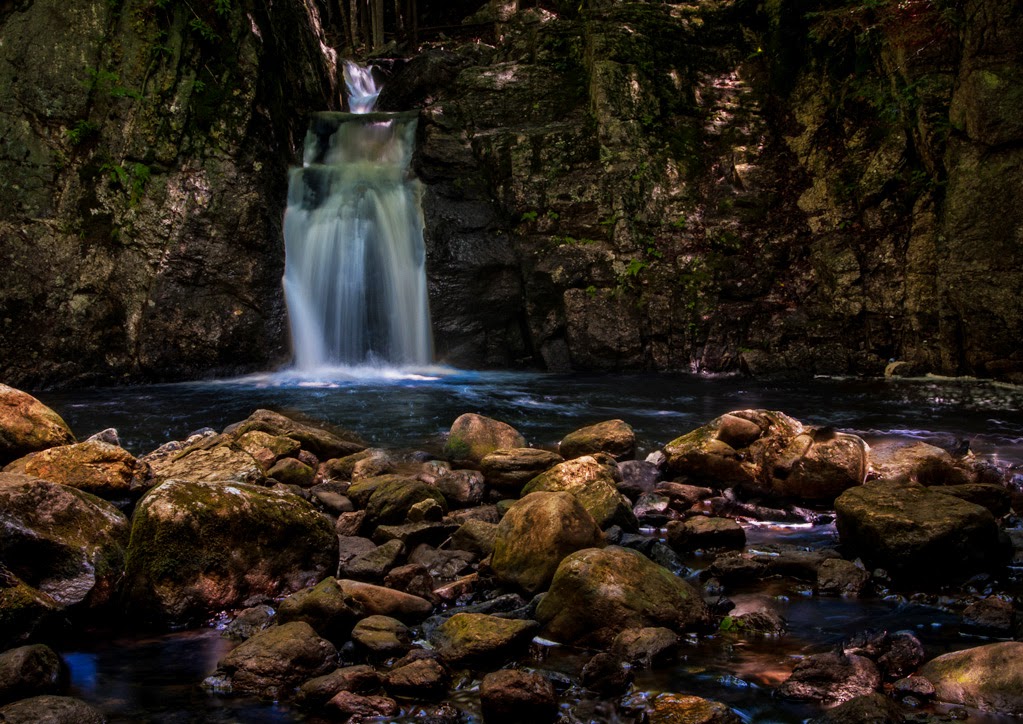
Every once in a while it gets a little tricky to "get the shot".  That was the case this past weekend.  I'd read about a waterfall in Keene, New Hampshire.  We were staying there after attending a conference in the area.  Only problem was that no one in town seemed to know where this waterfall was.  Asked the grizzled old timer at the gas station that was right out of the movie Deliverance.  Even he didn't know what the heck I was talking about.  Asked a cop.  "No such place." I was told.  Of course he looked like a high school kid, so tromping around the woods probably took a backseat to video games as he was growing up.  We finally tracked it down.  The access was at the end of a residential road.  There was a trail marker with some information.  The falls was about three quarters of a mile up an abandoned section of the road.  So off we went with a pair of cargo shorts stuffed to the gills with filters, accessories, a cable release, $3.86 worth of change, packets of powdered lemonade (no water) and assorted items designed to weigh me down.  To learn what today's title refers to, hit the "Read More".
Read more!

Thursday, June 5, 2014

How To Get More Interesting Images

Well, the easy answer is "go to more interesting places".  It's an old truism, but it is something that works.  About a month ago Doris (wife) said she wanted to go to the Lancaster Pennsylvania area over Memorial Day weekend.  Okay, Lancaster equals Amish.  Amish farms.  Amish buggies.  Flat brimmed straw hats.  Buttoned up (sometimes not) white (also sometimes not) shirts.  Beards and bonnets and horses along the highways (not the interstates).  Some things are contradictory.  The Amish won't ride a car or use a tractor to till the fields, but a weed whacker with a motor is okay.  There's no electricity to the house or farm, but that doesn't mean all the houses are old farm houses.  Some were absolutely modern in appearance.  Imagine a couple coming at you in a horse drawn buggy and the driver and passenger are wearing the latest in Oakley sunglasses.  One thing all these opposites do is mess up a "vintage" look images.  We noticed the thoroughly modern juxtaposed against the eighteenth century.  If nothing else, it was entertaining.


Read more!

Thursday, April 17, 2014

500 Posts And Counting

It was five years ago (almost to the day [4/21/2009]) that The Kayview Gallery (TKG) had its initial post.  I looked back at some of the early images and, frankly, some of them gave me a giggle.  What the hell was I thinking?  There's a few I still like.  The very first post was about an image I took at one o'clock in the afternoon and turned it into a reasonable night shot.  A retired professional photographer, when looking at the print, wanted to know how, if it wasn't a night shot, did I get the interior to look right.  I think I remember telling him it was a very special trick I used.  Truth is, what looked like an interior was actually the reflection of the building across the street.  I changed the color of the panes of the window using the Color Blend Mode to give the appearance of warm tungsten light.  It was an exercise in the mind seeing what it wanted to see rather than what was reality.  Other things going back through the Blogger online database for TKG I'm reminded for the slow start we had.  The first post, to this day, has only seven total views.  Even today, TKG isn't exactly one of the big name photography blogs.  Just an eclectic few (hundred) who read it on a regular basis.  There are thousands who pass by, but I've come to recognize some of the frequent readers.  Some folks in Bozeman Montana check TKG about every day to see what's new.  According to Google Analytics there been twenty one different people from Bozeman stopping by almost three hundred times during the past year.  There's about 38,000 people in Bozeman.  If I could get that same ratio of readership from New York City that would be something over one hundred thousand reads (for one city) rather than a little less than one thousand.  Guy (or folks) in Bozeman?  I appreciate your support.  TKG has been one of the blogs featured in the Photoshop section of Alltop  .  We're selected as "Most Topular" often enough to make me smile.  Thanks to Alltop.  Thanks also to all who have mentioned TKG on their blogs and sites.  We've gotten nods from Planet Photoshop, Lightroom Killer Tips, MasterPhotoshop, Photoshop User and a bunch of others.  It is nice to know we're occasionally noticed by the heavy hitters. 

How about if we make post number 500 a record breaker.  Make it some sort of chain letter type of thing.  Send it to ten of your friends and ask them to send it to ten of theirs.  There won't be any sort of prize or payoff, but if the results are magical I'll report back on the next post.

So, thanks to all readers.  Those loyalists and those who are dropping by for the first time.  I appreciate your interest.  I hope you get a kick out of today's image.
Read more!

Monday, March 3, 2014

Twenty First Century Use Of The Pen Tool

I was talking to a friend the other day and he said he was getting into using the Pen Tool (P) in Adobe Photoshop (PS).  I must have had a quizzical expression on my face, because he said "What!".  I told him I didn't think anyone, who didn't already know how to use the Pen Tool (P), had bothered to learn how to use the it in this century.  I asked him to give me a little demonstration of how he was using the tool.  He's been known to develop his own hard way to do some simple things in PS.  Just in case you've come to PS during this century, let me give a short explanation on using the Pen Tool (P) in PS.  You place a dot to start.  Place another dot somewhere else on your blank page.  You'll see two handles come out from the second point.  You can pull them, stretch them, spin 'em around in circles or let them sit.  Put a third dot on your document and another two handles appear.  Pull one, twist one, do something to one of the handles.  You'll see that the straight line between point two and point three deforms depending on how you move the handle.  The line between point  one and point two remains fixed.  (As long as you didn't move the handles.)  What's happening between points two and three is called a Bezier Curve.  Back in the day (probably around PS 5 (not CS5 - just plain PS 5) it was essential that you learn to use the Pen Tool (P) to make a Selection.  Today there is a large variety of methods to make Selections.  The Pen Tool (P) is almost dead.  The Quick Selection Tool (W) with its Refine Edge feature just about eliminates the need for the Pen Tool (P) or reduces its functionality to touching up hard lines.  The way my friend was using it is another one of his "let's make something harder than it should be" tricks.  His method consisted of laying out a point, cutting off the leading handle and making his next point.  There is a valid reason for cutting off the leading handle, but it's to be able to make hard point turns (i.e. a 90 degree turn) in the direction you're plotting, not just going to the next point on a curve.  Basically what he's done is find the hardest way imaginable to use the Polygonal Lasso Tool (L).  I used the Pen Tool (P) on today's image, but only for experimentational reasons.  To find out what I found and how I used the Pen Tool (P), hit the "Read More".

Read more!

Wednesday, December 4, 2013

How To Easily Restore A Photograph

Take a look at the image on the left, down in the lower right hand corner.  There you'll see the words "Circa 1887".  Now think about how careful you'd have to be if someone handed you a 126 year old photograph and asked if you could restore a family heirloom, a piece of history, the only known shot of great great granddad.  The paper would be as stiff as an overly starched shirt and would flake tiny pieces off with just about any movement.  As you can see, the photo, at some point was folded and probably stuffed into someone's pocket or wallet.  Putting the photograph into a flatbed scanner would probably do more harm than good.  I don't know if shooting it on a copy stand would give enough detail to resurrect a usable starting point.  How one image became the other is actually easier than you might think.  To find out what was done to convert one image into the other, hit the "Read More".

Read more!

Monday, November 18, 2013

A Friend Has That Currier & Ives Look Down Pat

I never begrudge anything anyone can do in Adobe Photoshop or Adobe Photoshop Lightroom.  I'm always either trying to learn new things or figure out how someone did something.  I recently saw a couple images by a friend and frequent reader of these posts (Hi Ed).  He's come up with an old timey, Currier & Ives type look to some of his landscapes.  Very, very interesting look.  He asked me for some pointers on how to extract objects from images.  I think we need to trade tips.  Today's image is an attempt to take a shot at going for the old time feeling.  It works, just not as good as Ed's.  Couple of things.  It is an HDR image with quite a bit of post processing in both PS and LR/ACR (Adobe Camera Raw).  With the Creative Cloud version of PS (PSCC) you can use ACR as a filter.  As long as you make the Layer a Smart Object you can pop back and forth into and out of ACR as often as you'd like.  Great for tweaking things as you go.  You doing something "straight" to an image, jump over to ACR.  Doing anything that needs a Mask, bounce back to PS.  Compositing images, use PS.  Just remember where your base image came from, 'cause that's where it'll go back to when you eventually do a Save and Close.  (Notice I said Save and not Save As.)  If you use LR as a DAM tool (Digital Asset Management) and you go to PS to do something that requires PS you should probably use "Copy With Lightroom Adjustments" (CTRL E to get to the dialog box and then use the top option).  That eliminates the need to do the old fashioned "make a copy of your Background Layer just in case" thing.  People used to do that to protect their original image.  If you "use a copy" you're not touching the original, so you don't need that copy of the Background Layer.  When it's time to Save your creation it'll be put back right beside the original images (or set of images in the case of HDR or panoramas.  But, what's up with today's image.  To find out, hit the "Read More".
Read more!